Self-Onboarding Manual
Welcome to Groove Mind Tutor! Follow these simple steps to set up your family account, process your payment, and add your children to receive private, guided IGCSE tutoring via Discord.
Registration
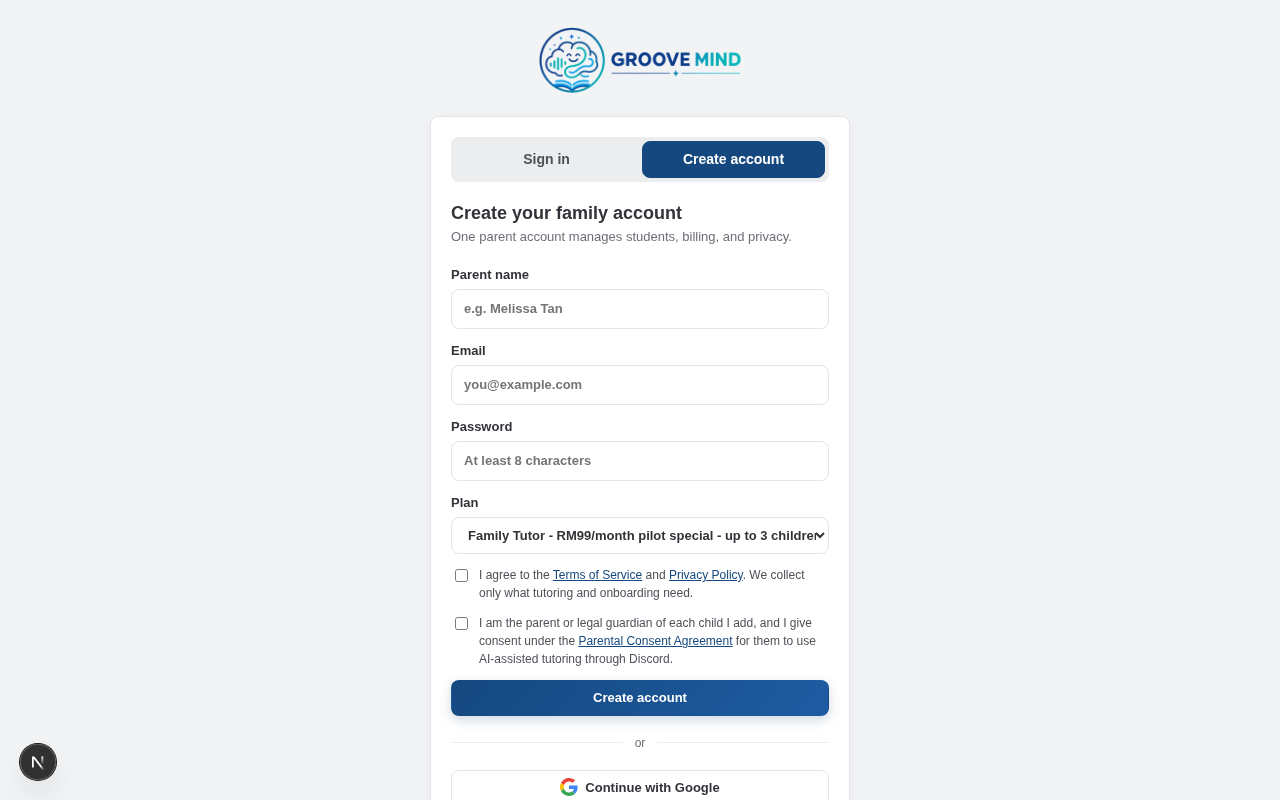
Start by creating your parent account. You will need to provide your name, email, and choose a plan. Please agree to the Terms of Service and Parental Consent during this step. Note: After signing up, our system will ask you to verify your email address in order to proceed.
Confirm Payment
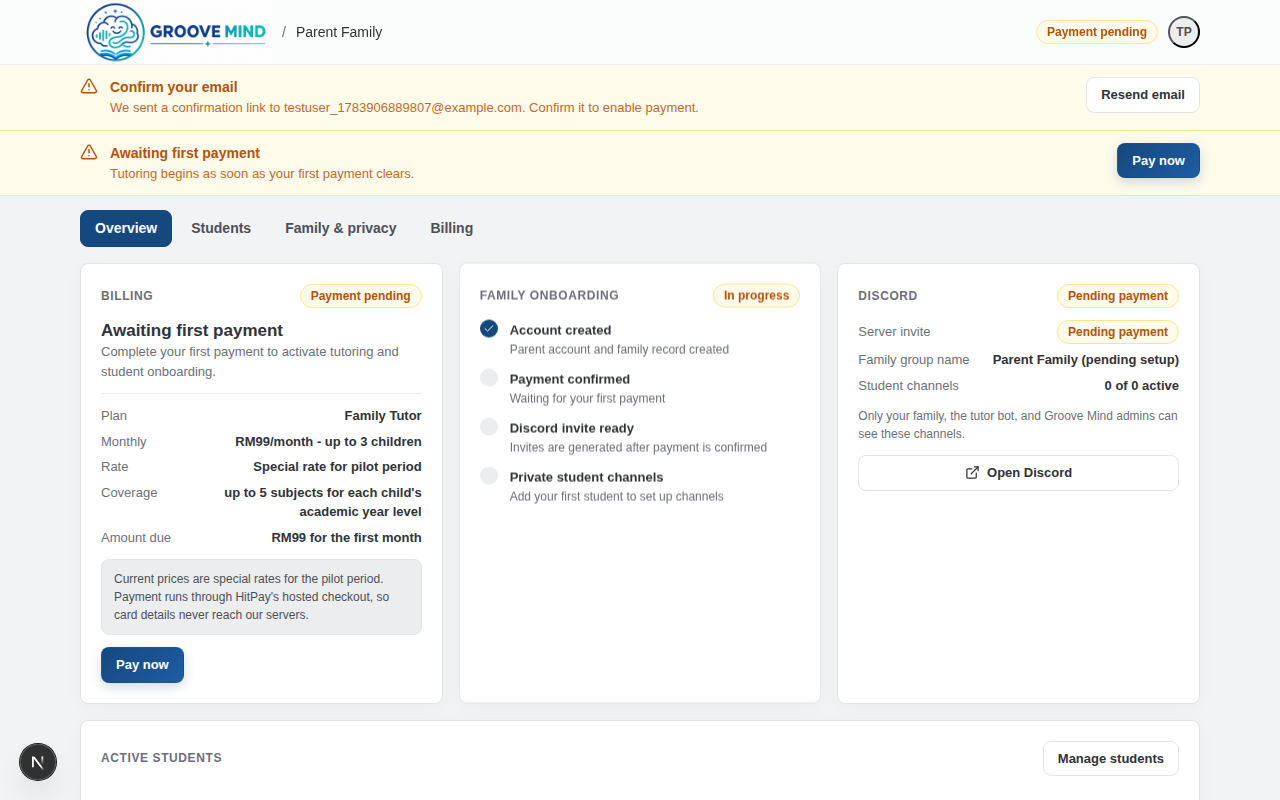
After signing in, verify your email address using the link sent to your inbox. The "Awaiting first payment" banner will only appear after email verification is complete. Click the Pay now button to securely process your payment. You will be directed to our payment gateway to complete the transaction, and our system will automatically grant you access once we receive acknowledgement from the payment provider.
Add Student
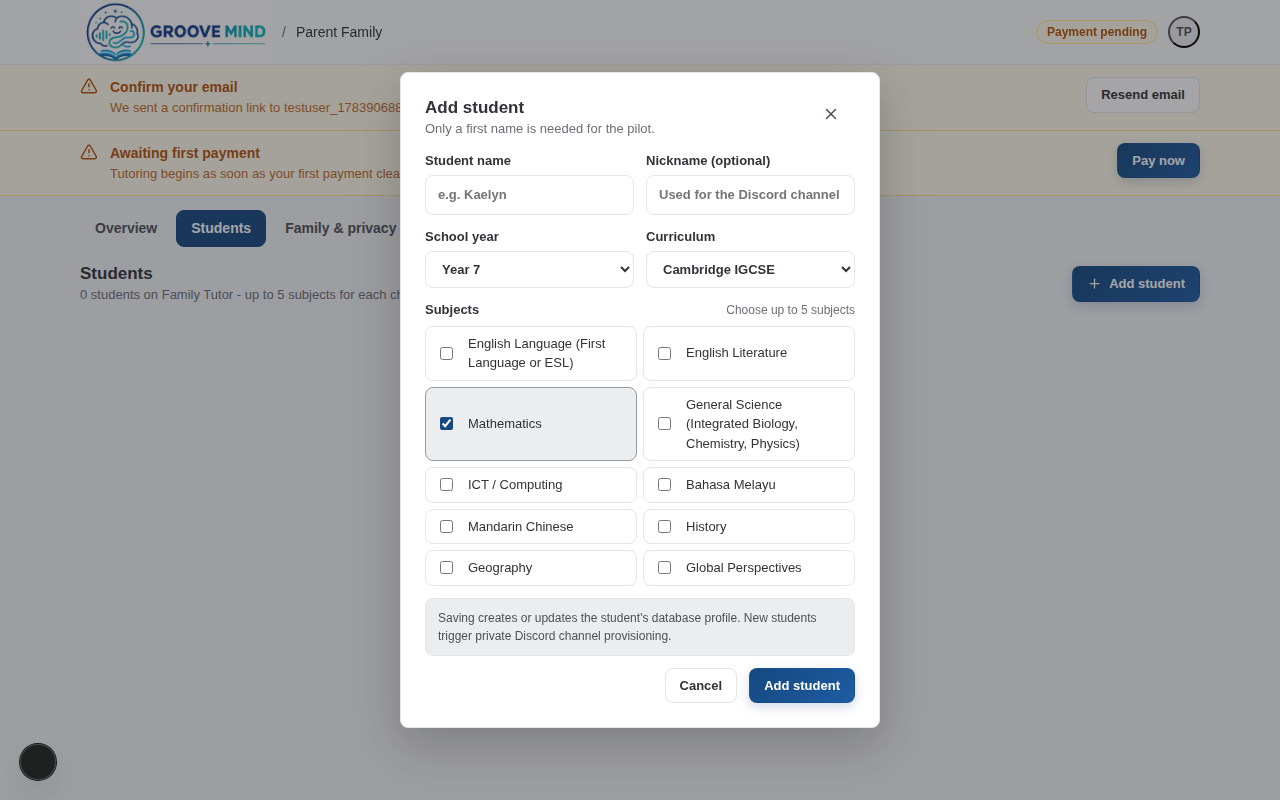
Once your payment is confirmed, the next step is to add your child to the system. From the Students tab across the top of your dashboard, click Add student. Fill in their details such as year and subjects.
Back on your Overview page, you'll see a Family onboarding section tracking your overall progress, and a Discord section representing your server status.Please note: Discord provisioning only starts after you capture your first student. Once you do, our bot will automatically begin creating a private tutoring channel for your family.
Join Discord
With your account active and your first student added, the Discord section in your Overview tab will display a server invite link once the channel finishes provisioning. Click the invite to join your exclusive Discord space! Your student can immediately start chatting in their private channel with the AI tutor.
If you do not have Discord installed or need help getting started with a Discord account, please refer to the official Discord installation and registration guide:
Before your child starts, set their Discord privacy to friends only. Your family's area is private — no other family shares a visible channel with you — but Discord itself lets accounts message each other directly, and that is controlled by each account, not by our server. In Discord, open User Settings → Privacy & Safety, switch Allow direct messages from server members off, and under Friend Requests leave only Friends of Friends enabled (or none of them). Groove Mind will never send your child a direct message, so treat any DM claiming to be from us as suspicious.
Read Official Discord Guide